
1. Introduction
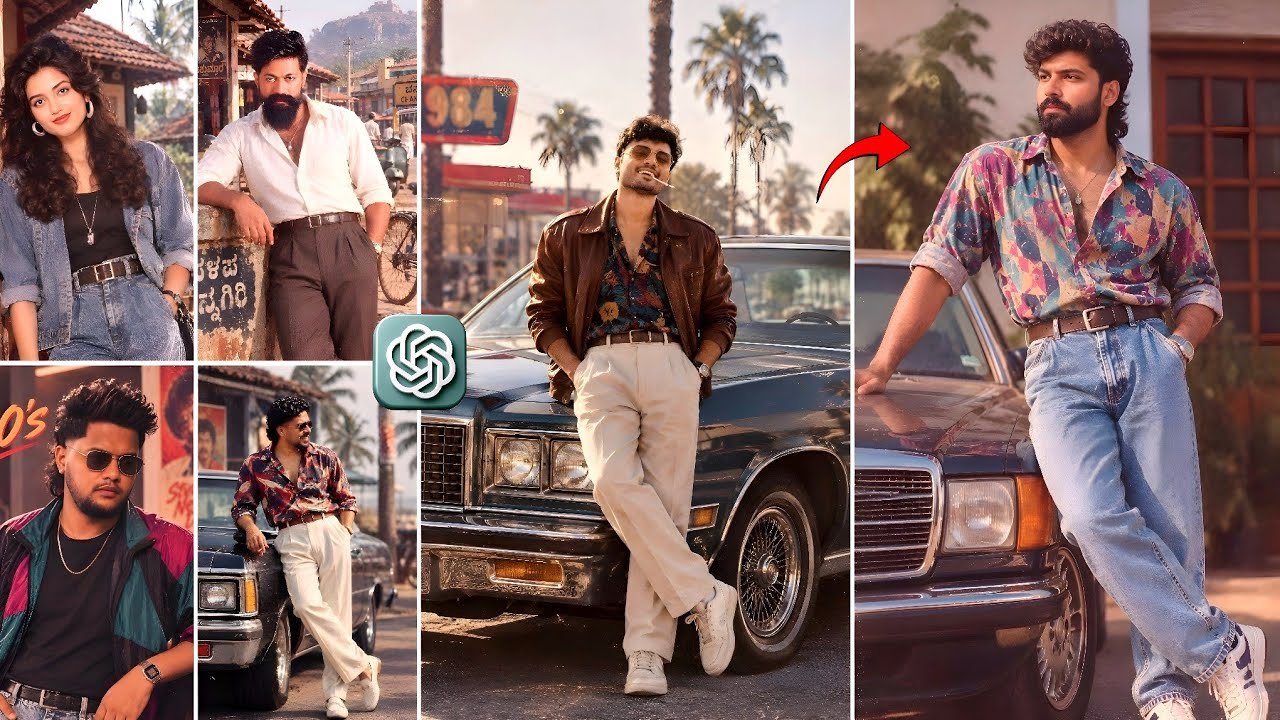
80s Photo Editing Instagram Trending Prompt The 80s photo editing trend is becoming popular on Instagram because it transforms ordinary modern photographs into stylish vintage portraits inspired by the fashion, colors, hairstyles, and photography styles of the 1980s. This trend is perfect for people who want to give their photos a nostalgic appearance while keeping their original face, identity, facial features, and natural likeness recognizable. With the right 80s photo editing prompt, users can create a retro image that looks like it was captured during the golden era of film cameras, classic fashion, and colorful studio photography.
The 1980s were known for bold fashion, oversized clothing, bright colors, dramatic hairstyles, leather jackets, denim outfits, aviator sunglasses, and vintage accessories. Combining these elements with modern AI photo editing tools can create an impressive transformation. An effective prompt should describe the desired hairstyle, clothing, lighting, background, camera style, color grading, and overall mood. It should also clearly mention that the person’s facial identity must remain unchanged. This helps the editing tool create a realistic image instead of generating a completely different person.
2. What Is an 80s Photo Editing Prompt?
An 80s photo editing prompt is a detailed text instruction used with an AI photo editing or image generation tool to transform a normal photograph into a vintage 1980s-style image. The prompt tells the tool how the final image should look, including the fashion, hairstyle, accessories, lighting, background, and photography style. Instead of manually adjusting every editing option, users can describe the complete look in one detailed instruction.
A good prompt should include important phrases such as “authentic 1980s fashion,” “voluminous retro hairstyle,” “vintage film photography,” “classic aviator sunglasses,” “natural facial features,” and “keep the original identity clearly recognizable.” These instructions help maintain the person’s appearance while changing the surrounding visual style. Users can also add details such as a retro studio background, neon lights, film grain, soft flash, warm color tones, and an old-camera effect to make the image look more realistic.
3. Best 80s Photo Editing Prompt for Instagram
Use the following prompt to create an authentic 1980s-inspired photo:
“Transform this photo into an authentic 1980s version of me while keeping my face, identity, facial features, skin tone, and natural likeness clearly recognizable. Style me with iconic 1980s fashion, a voluminous retro hairstyle, vintage accessories, and classic aviator sunglasses. Add a stylish denim jacket or leather jacket with a colorful vintage shirt, high-waisted clothing, and retro details inspired by 1980s fashion magazines. Use realistic vintage film photography, soft studio flash, subtle film grain, warm colors, slightly faded tones, natural skin texture, and a nostalgic analog-camera appearance. Create a classic 1980s studio background with soft gradients and retro lighting. Keep the pose natural, the facial expression realistic, and the proportions accurate. Make the final image look like an authentic photograph from the 1980s, not a modern digital filter. High detail, sharp focus, realistic face, cinematic composition, professional portrait photography, and natural vintage color grading.”
80s Photo Editing Instagram Trending Prompt This prompt is suitable for Instagram profile pictures, reels, stories, birthday edits, anniversary videos, and nostalgic photo posts. Users can upload a clear front-facing photograph for better results. The original image should have good lighting and a visible face because AI tools usually perform better when the facial features are clear.
4. How to Create an 80s Vintage Photo Using AI
Creating an 80s vintage photo is simple when the user follows a few important steps. First, select a high-quality photograph with a clear face and a natural pose. A front-facing or slightly angled portrait generally produces better results. Avoid images that are too dark, heavily blurred, or covered by objects. Next, open an AI photo editing application that supports image transformation and upload the selected photo.
After uploading the image, paste the 80s photo editing prompt into the editing instruction box. Make sure the prompt includes the requirement to preserve the original identity. If the tool provides additional options, choose realistic editing, portrait enhancement, or image-to-image transformation. Generate the result and check whether the face, eyes, nose, hairstyle, and overall appearance remain natural. If the result changes the person’s identity too much, use a shorter prompt with stronger instructions such as “preserve the exact face and facial structure.”
Users can generate multiple versions with different clothing styles, backgrounds, and color tones. For example, one version can feature a leather jacket and neon lights, while another can use a denim jacket and a classic studio background. After selecting the best image, users can add music, text, transitions, and vintage effects using a video editing application.
5. 1980s Fashion Ideas for Photo Editing
Fashion is one of the most important elements of an 80s photo edit. The decade was famous for bold and expressive clothing. Popular options include denim jackets, leather jackets, oversized blazers, colorful shirts, high-waisted jeans, patterned sweaters, striped tops, and bright tracksuits. Adding these clothing details to the prompt can make the final image look more authentic and visually attractive.
For a classic masculine look, users can request a leather jacket, white T-shirt, high-waisted denim jeans, aviator sunglasses, and a voluminous hairstyle. For a stylish feminine look, the prompt can include a colorful blazer, shoulder-padded jacket, large earrings, retro sunglasses, and a dramatic hairstyle. Users can also request pastel colors, neon shades, metallic accessories, and bold patterns associated with 1980s fashion.
The clothing should look realistic and properly fitted to the original body position. A good prompt should not request too many unrelated accessories because excessive details can make the image look artificial. It is better to choose two or three strong fashion elements and combine them with realistic lighting and vintage color grading.
6. Retro Hairstyles and Vintage Accessories
80s Photo Editing Instagram Trending Prompt Hairstyles played a major role in the visual identity of the 1980s. Popular retro hairstyles included voluminous hair, layered cuts, curly styles, side-swept hair, feathered hair, and textured looks. When using an AI editing prompt, users can request a hairstyle that matches their original hair length and face shape. This helps the final image appear more natural.
Vintage accessories can make the transformation more recognizable. Classic aviator sunglasses, oversized sunglasses, chunky watches, leather belts, colorful earrings, headbands, and retro necklaces are useful details. However, accessories should not cover the face completely because the main goal is to preserve the person’s identity. The prompt should mention that sunglasses must fit naturally and that facial proportions should remain accurate.
For a more realistic result, users can request subtle hair texture, natural shadows, realistic reflections on sunglasses, and authentic fabric details. These small instructions can improve the quality of the final image and make it look like a real photograph from the 1980s.
7. Best Background and Lighting for an 80s Edit
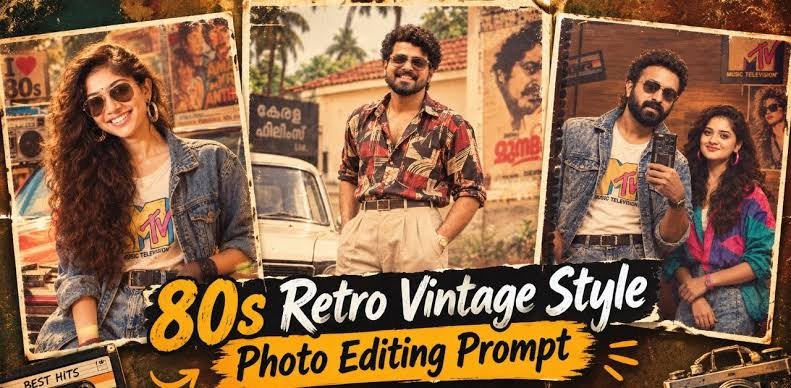
The background and lighting strongly influence the final appearance of a vintage photo. A simple retro studio background with soft gradients, pastel colors, or geometric shapes can create a classic 1980s portrait effect. Users can also choose neon lights, a vintage living room, a retro music studio, a colorful photography backdrop, or a classic street scene.
Lighting should be described carefully in the prompt. Soft studio flash, warm highlights, gentle shadows, and slightly faded film colors can create an authentic analog appearance. Harsh modern lighting may make the photo look too digital. A subtle flash effect combined with realistic skin texture can make the image look like it was captured using an old film camera.
Users can also request a vintage Polaroid appearance, 35mm film photography, light film grain, soft focus, faded contrast, and natural color imperfections. These effects should remain subtle. Excessive grain, blur, or scratches can reduce image quality and make the face difficult to recognize.
8. 80s Photo Editing Prompt for Different Styles
Different prompt styles can create different versions of the same photograph. For a classic Bollywood-inspired look, users can request colorful 1980s clothing, dramatic studio lighting, vintage film colors, and retro accessories. For a rock-star style, the prompt can include a leather jacket, dark sunglasses, textured hair, a stage background, and cinematic lighting. For a casual family-photo style, users can request a denim jacket, simple hairstyle, warm indoor lighting, and a vintage living-room background.
A popular option is the retro passport or studio portrait style. This version uses a plain background, formal vintage clothing, soft flash, and realistic film grain. Another option is the 1980s college look, featuring a colorful shirt, denim jeans, classic hairstyle, and a nostalgic outdoor background. Users can also create a retro wedding or anniversary photo by adding vintage clothing, classic poses, and warm film colors.
The prompt should always focus on one clear visual style. Mixing too many themes can create confusing results. A detailed but organized prompt usually works better than a long list of unrelated instructions.
9. Tips to Make the AI Photo Look Realistic
To create a realistic 80s photo, users should begin with a high-resolution image. The face should be clearly visible, and the original photo should not contain strong filters. Good lighting and a simple background can help the AI tool understand the person’s facial structure. Users should also avoid using multiple reference images unless the editing tool specifically supports them.
The prompt should clearly state that the face and identity must remain unchanged. It is useful to include phrases such as “preserve the exact facial structure,” “maintain natural skin texture,” “keep the original expression,” and “do not change the person’s identity.” These instructions can reduce unwanted face changes.
80s Photo Editing Instagram Trending Prompt After generating the image, users should check for common AI errors such as unnatural hands, distorted sunglasses, extra fingers, incorrect clothing patterns, unrealistic hair, or overly smooth skin. If any problem appears, regenerate the image with a simpler prompt. Editing the final image with brightness, contrast, sharpness, and grain adjustments can also improve the result. The goal is to create a believable vintage photograph rather than an exaggerated cartoon effect.
10. How to Use the 80s Photo Edit on Instagram
Once the image is ready, users can use it in Instagram Reels, posts, stories, profile pictures, and carousel content. A before-and-after transition is one of the most engaging formats for this trend. Start the reel with the original photo, add a short transition, and reveal the 80s version with a suitable retro song or instrumental background music. Text such as “Me in the 80s,” “AI Retro Transformation,” or “Born in the Wrong Decade” can make the reel more attractive.
Use a clear caption containing relevant keywords such as 80s photo editing, 1980s AI photo prompt, retro photo transformation, vintage photo edit, Instagram trending prompt, and AI portrait editing. Add relevant hashtags without using spaces inside them. A strong thumbnail should show the original image and the transformed version side by side. This helps viewers understand the transformation immediately.
PROMPT – 1
Transform this photo into an authentic 1980s version of me while keeping my face, identity, facial features, and natural likeness clearly recognizable. Style me with iconic 80s fashion, a voluminous retro hairstyle, vintage accessories, and classic aviator sunglasses.
PROMPT – 2
Create a cinematic 1980s atmosphere with warm golden lighting, nostalgic film photography, subtle film grain, faded vintage colors, textured edges, and an authentic retro aesthetic. Add a period-accurate background with classic cars, vintage posters, cassette players, or other iconic 80s elements.
PROMPT – 3
Ultra-realistic, highly detailed, natural skin texture, cinematic composition, professional editorial photography, nostalgic 1980s magazine aesthetic. Keep my face recognizable and do not alter my identity or facial structure.
The 80s photo editing trend is a creative way to explore vintage fashion, nostalgic photography, and AI-powered image transformation. With a clear prompt, a high-quality photo, and realistic editing instructions, anyone can create an impressive retro portrait while keeping their natural identity recognizable. Always use photos responsibly, avoid misleading edits, and respect the privacy of people whose images are being transformed.